

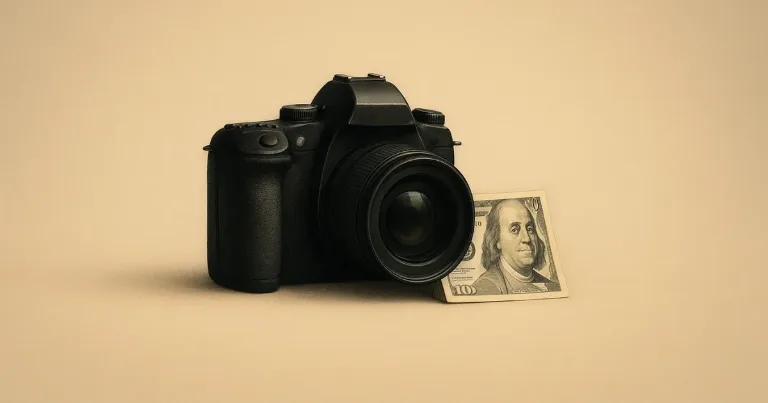

So if you want to sell photos online as a side hustle for extra income, this covers the popular platforms, how the process works, and the fees to expect. You do need a camera. If you already love shooting and have a decent camera, you are set. A recent phone camera can work to start. You can even branch into specific niches. If that is your plan, try this step‑by‑step guide to selling feet pictures for marketplaces, pricing, and safety notes.
Where to sell photos
Microstock marketplaces
-
Adobe Stock. Royalty-based library with global buyers. Clear rules on releases and what files they accept.
-
Shutterstock. Large buyer base and tiered earnings for contributors as you license more files.
-
iStock/Getty. Non‑exclusive or exclusive routes, plus editorial options.
-
Alamy. Often used for editorial and niche subjects, with a different commission structure.
Digital prints and print-on-demand products
Etsy for digital prints and printable wall art. A downloadable file and a physical print are different products, so make the delivery clear.
Redbubble for print-on-demand products. Society6 is now a curated option: its artist application requires portfolio review, so a shop is not something every applicant can open immediately.
Direct checkout storefronts
-
Gumroad or Payhip to sell photo bundles, LUTs, or presets straight to buyers. You control bundles and pricing, and you can collect emails for repeat sales.
How selling works (simple flow)
Create a contributor account and verify your identity. Most stock platforms require you to be 18+ and own the rights to your work.
Add tax info. Platforms may request a W-9 from a U.S. person or the appropriate W-8 form from a non-U.S. contributor. Missing paperwork can mean withholding or delayed payment; the exact treatment depends on the platform and your circumstances.
Upload files that meet specs. Check the destination before exporting. Adobe Stock's photo requirements include JPEG, sRGB and a resolution of 4 to 100 megapixels.
Attach releases when needed. Commercial stock normally needs a model release for recognizable people. Protected artwork, property or designs can need permission too, while some subjects are restricted even with a release.
Submit for review. Review teams check quality and rights before your files go live.
Fees and royalties to expect
These charges apply in different ways. A stock royalty is your share of a license; a storefront fee comes out of your sale. Check the terms for your account before choosing a platform. Dollar amounts below are US dollars unless another currency is shown.
| Platform | How you earn | Key fees or payout notes |
|---|---|---|
| Adobe Stock | Royalty per license | Standard photo royalties are 33%. Request payment from a $25 balance once at least 45 days have passed since the first sale and the account is eligible. |
| Shutterstock | Tiered royalties | Earnings levels run from 15% to 40% based on downloads in the current calendar year, not lifetime downloads. Levels reset on January 1. The minimum payout setting starts at $25. |
| iStock/Getty | Agreement-based royalties | Rates depend on your contributor agreement and exclusivity. Getty's contributor information lists PayPal or Payoneer payments in USD. Check your account's minimum withdrawal and payment schedule. |
| Alamy | Commission tiers | Current contributor terms and payment details list 15%, 20%, 40% and 50% tiers; the top rate has exclusivity and eligibility conditions. Monthly payments require a cleared balance over $75. |
| Etsy | Prints and digital downloads | Etsy's fees include $0.20 per listing and a 6.5% transaction fee, plus country-specific payment processing. Attributed Offsite Ads sales add 12% or 15%. Setup, currency conversion and other applicable charges can also affect the total. |
| Redbubble | Markup on base price | Platform fees take 50% of monthly gross artist earnings on Standard, 20% on Premium and 0% on Pro. Standard and Premium also face an excess markup fee above a 20% markup. The combined monthly fee cap is $150, €150 or £150 in the payout currency. |
| Society6 | Fixed product markups | Product markups are 10% for certain wall art, pillows and wall tapestries, and 5% for other products. Discounts can reduce the amount used to calculate earnings. |
| Gumroad | Direct or Discover sales | Direct-sale fees normally start at 10% + $0.50, with card processing of 2.9% + $0.30 extra; PayPal fees differ. Discover sales cost 30%, including processing. The direct-sale percentage drops to 5% for new sales after $20,000 in paid sales within a calendar month; the fixed and processing charges remain. |
| Payhip | Direct sales | Plans are 5% on Free, 2% on Plus ($29 monthly), and 0% on Pro ($99 monthly). Payment processor fees still apply. |
Getting paid in practice
Methods. Check which providers support your account and country. The fees for receiving and converting money can make a difference even when the platform lists no withdrawal charge.
Thresholds and timing. A reported sale is not always a cleared balance. Adobe's payout requirements also cover account verification and payment setup. Alamy waits for the customer's payment to clear before counting it toward a withdrawal.
Taxes. A platform collecting sales tax from a buyer does not automatically settle your own income-tax obligations. Keep records of gross sales, fees and actual payouts.
What to shoot: themes to test
There is no single bestseller list that covers stock licensing, art prints and direct downloads. These are ideas to test, not measured top sellers. Pick a subject you can shoot well, then check your own sales before spending on props or a bigger batch.
-
Real tech in real life. People using AI tools on laptops at school or work. Shoot honest moments, like hands guiding an on‑screen draft beside a half‑drunk iced coffee on a wood desk.
-
Sustainability and repair. Fixing, reusing, public transit, and small wins at home. Try a close photo of a cracked phone being repaired on a kitchen table with a tiny screwdriver set.
-
Wellness with credibility. Everyday health checks, at‑home workouts, and mental health scenes that look lived‑in. A timer app next to a rolled‑up yoga mat feels real.
-
Travel as a journey. Small groups, local detail, shoulder seasons, and nature impact. Think a rain‑speckled bus window during a weekend trip.
-
Playful nostalgia. Slightly surreal color, retro props, and humor that still feels human. A neon cassette prop on a modern desk can work for posters and prints.
File prep that avoids rejections
-
Format and color: Export JPEG in sRGB.
-
Size: Meet the platform's requirements with a sharp original. Do not enlarge a small file just to pass the minimum; Adobe's photo editing guidance advises against enlarging files.
-
Clean metadata: Clear titles and keywords that match buyer intent. Avoid spammy tags.
-
Consistency: Keep a simple naming pattern like
2025-10-city-textures-01.jpgso batches are easy to track.
Rules you should know
-
Age: Contributors typically must be 18+ to open an account and sign the agreement.
-
Releases: Editorial licensing has separate subject, caption and contributor eligibility rules. It is not a universal fallback for a commercial photo missing a release. Check that the platform accepts your type of editorial submission before uploading.
-
AI content: Policies differ. Some sites accept correctly labeled generative images. Others do not allow contributor‑submitted AI images at all. Read each site’s current rules before you upload.