
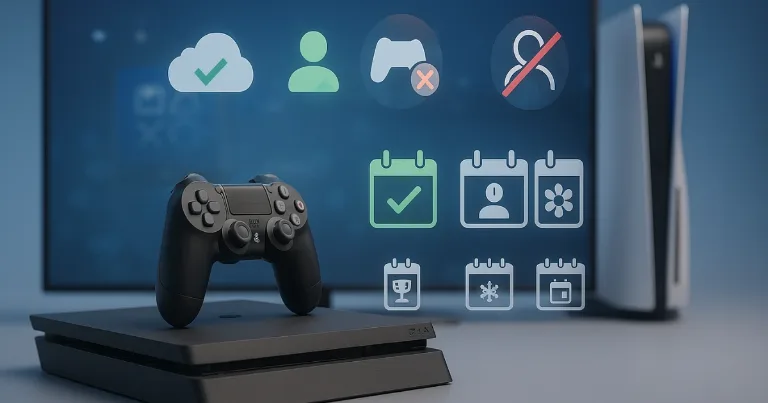

Sony has retired some PS4 features and reduced how often PS4 games join PlayStation Plus, but it has not announced a PS4-wide Store or online-play shutdown for 2026. Your library does not disappear because Tournaments or Teams ended. The part to watch is support for each game and service you use.
Some dates in the original guide have now passed, and newer notices affect browser safety services and individual games. Here is what changed and what you can still do on your console.
What Sony actually announced vs what people assumed
Sony's service notices name the affected features and their dates. They do not say that every PS4 game or account is being switched off. Keep a console-wide closure separate from one feature ending or a publisher dropping one version of a game.
The PS4 changes and their dates
-
October 27, 2025: PS4 Tournaments menus and Teams ended.
-
January 2026: PlayStation Plus moved to occasional PS4 additions in Monthly Games and the Game Catalog.
-
August 25, 2026: New purchases of Trend Micro Kids Safety and Web Security for the PS4 browser ended. The services themselves end on August 25, 2027.
What still works in 2026, downloads, single player, and most online play
-
Your PS4 boots, signs in, and plays your games.
-
Games with supported offline modes can still be played. Online-only games need their own services to remain available, even if you already downloaded them.
-
You can still redownload purchased PS4 games from your library. A purchase and access through a subscription are different; leaving the PS Plus Catalog does not cancel a separate purchase.
-
Online multiplayer keeps working for games that still have active servers. Many games use publisher servers, not a single global PS4 server.
-
The PlayStation Store on PS4 stays up, so you can buy and download.
Where PS4 groups and tournaments stand now
-
The Tournaments menus are no longer available on PS4.
-
Teams is no longer available. Use Messages for groups; do not assume old Teams content can still be recovered.
-
You can still use Tournaments on PS5.
What fewer PS4 additions mean for PlayStation Plus
-
Sony's PlayStation Plus policy for PS4 games allows occasional additions from January 2026. It does not promise that every month will include a PS4 game, or say that none can appear.
-
If you already redeemed a Monthly Game, you keep access while your membership is active.
-
Catalog titles rotate. When a game leaves, access ends unless you buy it. This rule does not change in 2026.
Social features that already changed on PS4 and what you can use instead
-
Since March 25, 2025, What's New Activities has lost comments, likes, and its Share function. Public and friends-of-friends posting ended; friends-only sharing remains.
-
Direct X integration ended on November 13, 2023. For PS4 captures, use the console's supported sharing options or a USB drive.
-
PlayStation Communities on PS4 ended in 2021. Parties and Messages remain the main way to chat.
Digital library basics, how to redownload and keep playing purchased PS4 games
Sony's PS4 download instructions still use the console Library:
-
On PS4, open Library, then head to Purchased.
-
Pick the game, select Download.
-
For add-ons, select the game under Library > Purchased, then PlayStation Store > Your Add-Ons and the download arrow.
-
If storage is tight, use an external USB drive or swap in a larger internal drive. Back up saves to cloud with PS Plus, or to USB in Settings.
Multiplayer reality check, who runs the servers and what could actually go offline
-
Many games run on publisher servers. A closure can affect one platform, several versions, or only certain modes. Read the notice for the exact game and version you play.
-
Peer to peer lobbies can last longer, but matchmaking can break if the game uses a retired network feature.
-
Cross-play only helps while the PS4 version remains supported. A busy PC or PS5 community does not guarantee that the PS4 version will stay online.
For example, HoYoverse ended PS4 login and update support for Genshin Impact on April 8, 2026. Its notice says PS5 and other supported platforms are unaffected. That is a real PS4 loss, but it is not the whole PlayStation network closing.
What PS4 owners should do now, backups, settings, and low effort prep
-
Back up saves. Use PS Plus online storage or copy PS4 saves to USB. The USB option is under Settings > Application Saved Data Management > Saved Data in System Storage.
-
Update games you plan to replay, then test their offline modes. Installing a patch does not make an online-only game playable without its servers.
-
Check game logins. Some titles need an external account. Sign in and confirm.
-
Save your captures. In Capture Gallery, highlight a file, press OPTIONS, then choose Copy to USB Storage Device. Sony's PS4 capture instructions cover this export. The PS App's automatic Game Captures uploads are for PS5, not PS4.
-
Check service notices. For online games, follow the publisher's support page. Sony also keeps a list of discontinued game services.
Looking ahead, how long PS4 stays practical and signs it is time to move on
-
If your favorite games still work well and have the modes you need, there is no need to replace the console just because one unrelated feature ended.
-
If you love live service shooters with yearly releases, watch server notes and cross gen support.
-
Upgrade when new games you want stop offering a PS4 version, or when load times and frame rate feel bad to you.
-
Judge each announcement by its affected platform and date. A PS3 or PS Vita Store notice does not apply to PS4.
Sony has also announced an end to disc production for new PlayStation releases from January 2028. That is a future release-format change, not an instruction to stop using your PS4 discs. Sony says games released on disc before that date are unaffected.