


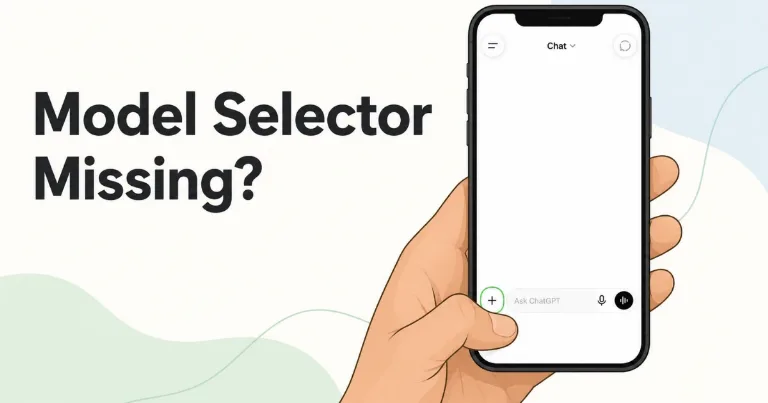

The ChatGPT model option was no longer at the top when I checked the iPhone app. I found it by tapping the + button beside the message box, choosing Intelligence, and then selecting the model or reasoning level I wanted.
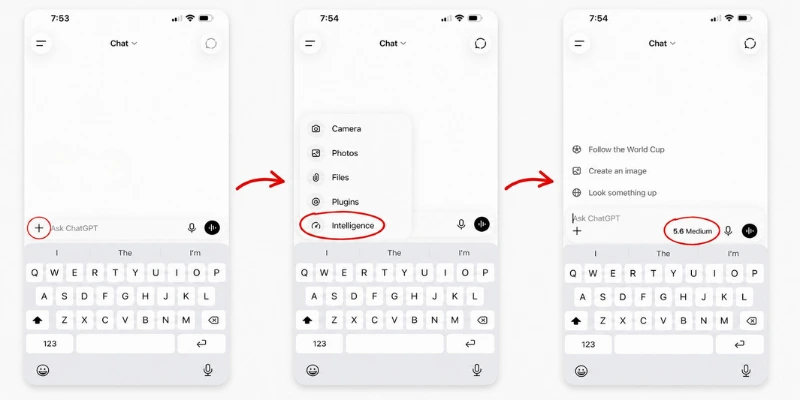
How to change the ChatGPT model on iPhone
Follow this path in the ChatGPT app:
- Open a new or existing chat.
- Tap the + button beside the message box.
- Select Intelligence.
- Choose the available model or reasoning level.
After I selected Medium, the message box displayed 5.6 Medium, confirming that the new setting was active.
OpenAI calls this feature the model picker, but it may be easier to miss now because the model name is not always shown at the top of the conversation.
Why the model picker seems to be gone
OpenAI’s current documentation says the model picker appears at the top of a conversation on iOS and Android. However, the iPhone interface I tested only showed Chat at the top and placed the model control under the + menu instead.
The model option has not been removed from this layout. It has moved under Intelligence, alongside the other tools available from the message box.
Your available choices can depend on your ChatGPT plan. OpenAI says eligible accounts can choose different reasoning levels through the model picker, while managed workspaces may limit which options appear.
For the iPhone layout shown in the screenshot, tap +, open Intelligence, and choose the option you want.