
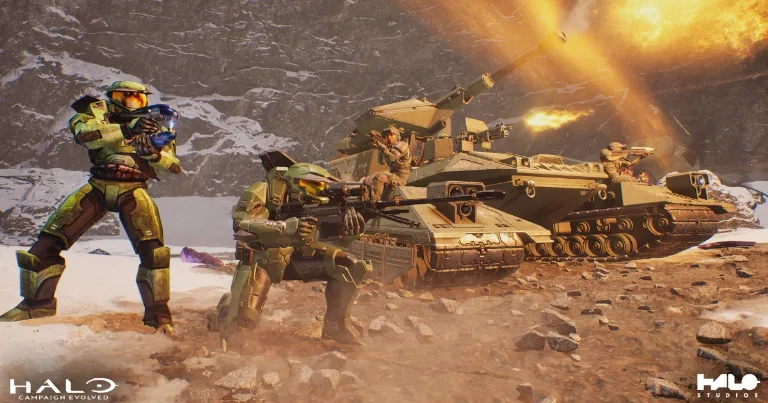

If Halo Campaign Evolved crashes during Keyes on an RTX 50 series graphics card, check the NVIDIA driver before reinstalling the game. Halo Support says drivers 610.47, 610.62, and 610.74 can cause this mission to crash. Install Game Ready Driver 610.88, which contains the permanent fix.
Check whether this is the known RTX 50 issue
The confirmed driver problem has three signs.
Your PC has an NVIDIA GeForce RTX 50 series graphics card
The crash happens during Keyes
Your installed driver is 610.47, 610.62, or 610.74
A crash that repeats on Keyes while one of these drivers is installed matches the official issue more closely than a random crash in another mission. Other crashes can come from unstable overclocks, damaged game files, memory errors, or a different known problem.
Check the installed driver through NVIDIA Control Panel.
Right-click an empty area of the desktop
Open NVIDIA Control Panel
Select Help
Open System Information
Read the driver version near the top
You can also find it in Device Manager. Expand Display adapters, right-click the NVIDIA card, select Properties, and open the Driver tab.
Driver 610.88 resolves the documented problem on RTX 50 series hardware. It is not a confirmed fix for every Halo crash or for unrelated problems on RTX 30 and RTX 40 cards.
Install driver 610.88
NVIDIA released Game Ready Driver 610.88 as a WHQL-certified update after the temporary 610.82 hotfix. NVIDIA's release notes say 610.88 resolved Halo Campaign Evolved crashes on RTX 50 series GPUs using R610 drivers.
Close Halo Campaign Evolved and other games before starting the installation. Then follow these steps.
Open the NVIDIA App
Select Drivers
Check for updates
Download and install Game Ready Driver 610.88
Restart the PC
Check the driver version again
Load the affected Keyes checkpoint
If the NVIDIA App does not offer the update, download Game Ready Driver 610.88 from NVIDIA. Use the normal installation first. Choose Custom installation and perform a clean installation only when Windows keeps the older version or the crash continues after 610.88 appears as the active driver.
Driver 610.82 was the temporary hotfix based on 610.74. NVIDIA said those fixes would be incorporated into its next official driver release. Now that 610.88 includes the Halo correction, it is the normal update path and should be installed instead of searching for the older hotfix.
When driver 610.88 does not solve the crash
Confirm the active driver before changing anything else. If NVIDIA Control Panel still shows 610.47, 610.62, or 610.74, restart Windows and run the 610.88 installer again.
If the crash continues with 610.88 installed, check whether it still happens during Keyes and whether the PC has an RTX 50 series card. A crash in another mission or on another GPU does not match the issue confirmed by Halo Support.
Next, verify or repair the Halo Campaign Evolved files through Steam or the Microsoft Store. Do not delete campaign save data as a first step.
Send a report to Halo Support when the crash still matches the RTX 50 issue after driver 610.88 is active. Include the exact graphics card, Windows version, driver version, mission, checkpoint, and whether the crash happens at the same location each time.
The mission, GPU model, and installed driver are the fastest clues. When all three match the confirmed RTX 50 issue, updating to 610.88 should come before broader PC troubleshooting.