
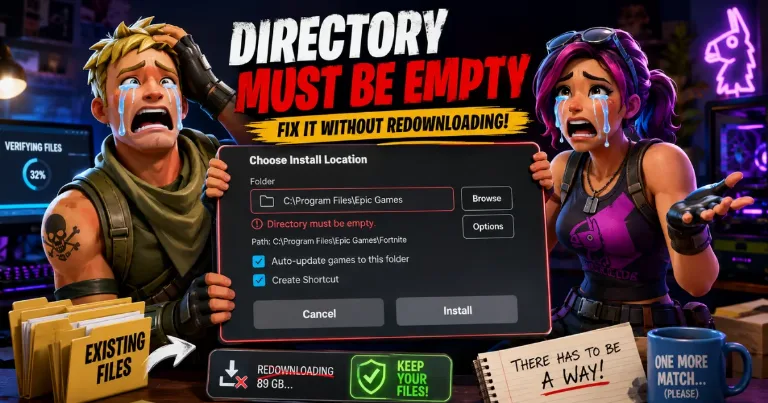

The Epic Games Directory Must Be Empty error usually shows up when the launcher sees files inside the folder you picked for an install. Do not delete your old game folder right away. If the game files are still on your PC, you may be able to make Epic verify them instead of downloading the full game again.
Try the File Check Method First
Use this only when the game is already on your drive. This is helpful after reinstalling Windows, reinstalling Epic Games Launcher, moving a game folder, or plugging in an old drive with Epic games still inside.
Close Epic Games Launcher completely.
Open the folder where your Epic game is stored.
Rename the old game folder. For example, change
FortnitetoFortnite_backup.Open Epic Games Launcher.
Start installing the same game again.
Pick the same parent folder, like
D:\Epic Games.Let Epic create a new game folder and download a small amount.
Pause or cancel the install.
Close Epic Games Launcher again.
Open the new folder Epic created.
Copy the old game files from your backup folder into the new folder.
Open Epic Games Launcher and resume the install.
If the files match what Epic expects, the launcher should start verifying instead of downloading the whole game. It may still download missing files, changed files, or a new patch after the check finishes.
There is also a folder-swap version of this fix, where you delete the small new folder and rename your old folder back to the original name before resuming. I prefer the copy method first because it lets Epic create fresh launcher data before you bring the old files back.
Why Epic Wants an Empty Folder
Epic shows this message because it is starting an install, not attaching an old folder. If the folder already has files inside, the launcher may stop because it does not want to mix a new install with unknown files.
That is why the error feels confusing. Your game may still be on the drive, but Epic may not have the install record that tells it, “this folder belongs to this game in your Library.”
This can happen when:
Windows was reinstalled
Epic Games Launcher was removed and installed again
A game folder was moved by hand
A backup was copied back to the drive
The install folder name changed
The game is on an old external drive
The clean official fix is to delete the game folder and install again. That works, but it is the painful option when the folder already has a huge game inside.
When You Should Stop and Reinstall
The file check method is not guaranteed. Epic does not officially support detecting every previously installed game folder, so some games will still need a normal reinstall.
Before moving folders around, check your Library first. If the game is listed, open the three-dot menu, choose Manage, and use Verify if the option is available. That is safer than touching the install folder.
You may need to redownload the game if the folder is damaged, copied from another store version, missing large files, or tied to a different account setup. Unreal Engine installs can also be picky because launcher data inside the folder may matter.
If Epic keeps showing Directory Must Be Empty after one or two tries, move your old folder somewhere safe and do a clean install. Do not test random fixes on your only copy of the files.