


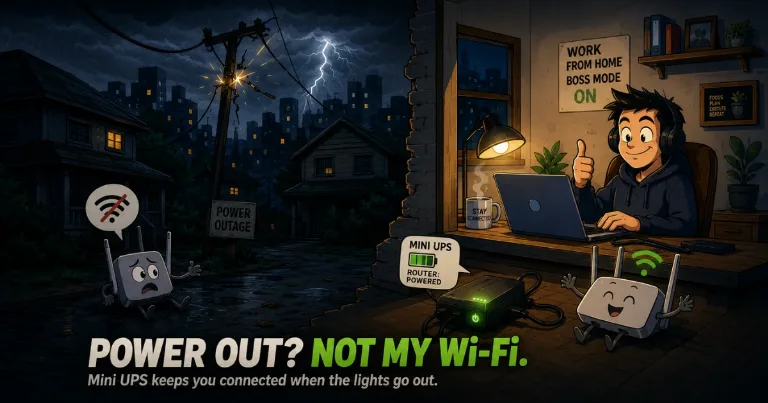

If power outages happen often where you live and you work from home like I do, a mini UPS can keep your Wi-Fi router running when the electricity cuts out. I currently live in a province in the Philippines, where we get power interruptions from time to time, and this has saved me in several situations while working. My router stays powered and I do not notice my connection dropping when the electricity goes off. I use an Avidus P13 mini UPS from TikTok Shop, and if this exact model is not available in your country, I have also included a similar mini UPS option from Amazon below.
If the Avidus P13 is not available where you live, this 18W mini UPS is a similar option with 5V, 9V, 12V and PoE outputs. Note that the battery is not included.
View on Amazon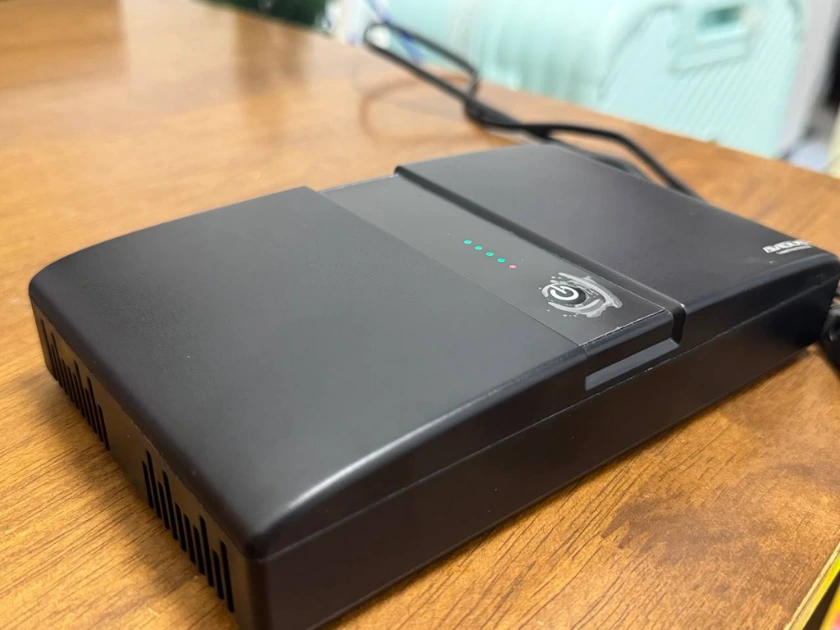
How the Mini UPS Keeps My Router Online
A mini UPS is a small battery backup made for devices such as routers, modems and some network equipment. Instead of plugging my router directly into the wall, I power it through the UPS and leave the UPS connected to electricity.
Before my work shift starts, I make sure everything is connected and leave the mini UPS charging while the router is running from it. If the electricity suddenly goes off, I do not need to move cables, press a button or switch to another power source.
From my experience, the change to battery feels instant. I am not sure exactly how many milliseconds the switch takes, but I do not notice the connection cutting out and my router does not restart.
That is the main reason this setup works better for me than trying to power the router after an outage has already started. If the router completely loses power first, it needs to boot again before the connection comes back. With the mini UPS already connected, it stays on.
My router has also lasted more than six hours on the mini UPS in my own use. I would not expect the same runtime for every router, though. How long it lasts will depend on how much power your equipment uses and whether you are powering one device or several.
There is one thing a mini UPS cannot control. It keeps your equipment powered, but your internet provider also needs to remain online. If the ISP has an outage in your area at the same time, keeping your router on will not fix the provider's connection.
How I Connected the Avidus P13
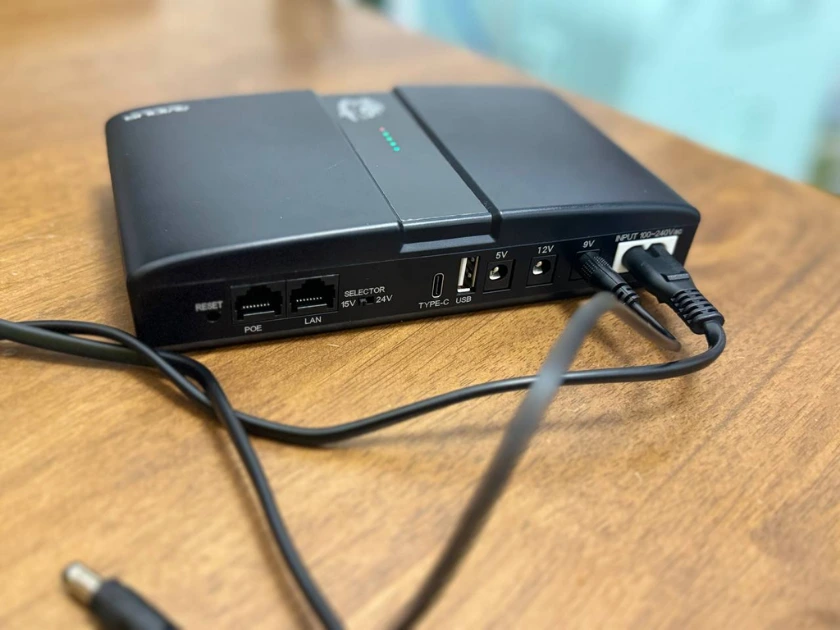
My Avidus P13 came with the cables I needed for my setup, and I mainly use two of them.
The first is the power cable that connects the mini UPS to the wall. I keep this plugged in so the unit can run my router while keeping its internal battery charged.
The second is the DC cable between the mini UPS and the router. My router requires 9V, so I plug this cable into the 9V output on the back of the UPS and then into the router's power input.
The back of the unit has several outputs because not every router uses the same voltage.
| Port | What it is for |
|---|---|
| 5V | Devices that require a 5V power input |
| 9V | 9V routers or modems. This is the output I use |
| 12V | Devices that require a 12V power input |
| USB | Compatible devices that use 5V USB power |
| Type-C | USB-C connection for compatible equipment |
| LAN / POE | Network equipment compatible with Power over Ethernet. Confirm the required voltage and polarity before using the selectable output |
| 15V / 24V selector | Selects the voltage used for the PoE output |
| AC Input | Connects the mini UPS to wall power |
The important part is choosing the correct voltage for your own router. Check the label on the original power adapter before connecting it to the UPS. If the adapter says 9V, use the 9V output. If it says 12V, use the 12V output.
Do not choose an output only because the plug happens to fit. The voltage needs to match what the device requires.
For my own setup, I just leave the mini UPS connected whenever I am working. My laptop already has a battery, and now the router has backup power too. When we get a short or longer power interruption, I can usually continue working without waiting for the router to start again or getting disconnected in the middle of what I am doing.