


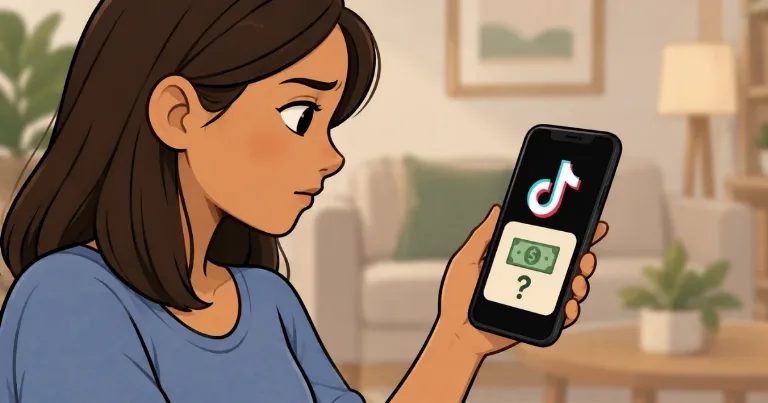

If you’re seeing a “Screentime To Cash Creator” popup on TikTok, you’re not the only one. The screen promises cash for your screen time and asks you to confirm your age before downloading a “partner” app. It’s a deceptive ad made to resemble a TikTok feature.
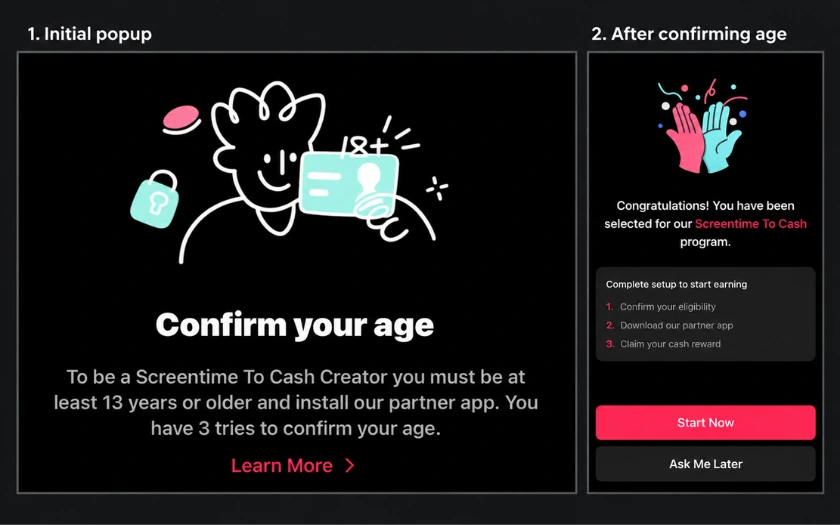
Why the Popup Appears Inside TikTok
TikTok has a built-in browser that can show advertising pages without opening Chrome or Safari. So a page can appear inside the app even when someone outside TikTok created it.
In Mashable’s September 2026 report, TikTok said it had removed ads and related accounts for deceptive practices and misleading content. The report identified third-party advertisers behind these promotions.
An advertiser can promote a reward app without being the company that made it. Freecash says affiliates, people who earn money for bringing in new users, ran ads falsely promising payment for scrolling TikTok.
Under Freecash’s referral program, a promoter can earn a reward when an eligible new user signs up and installs their first game, then another after that user’s first withdrawal. That gives promoters a financial reason to attract signups with the scrolling-for-money promise.
The operator and payment arrangement behind each version of the popup remain unverified. Playful Rewards also told Mashable it wasn’t running these ads directly and that they might come from another advertising source.
Some people also describe it appearing midway through an unrelated video, even without an obvious tap. How that happens remains unclear, but those reports alone don’t establish that TikTok has been hacked.
What the Advertised Apps Actually Offer
Following the popup can lead to different reward apps, including Freecash and Playful Rewards. Before spending time on either, compare the promised payout with the activities it actually offers.
Freecash’s support page explicitly says it doesn’t pay users to watch or scroll TikTok. Its actual activities include games, surveys, and other offers with their own requirements for earning rewards.
Freecash sometimes lists offers for new users installing TikTok and registering. Those have their own eligibility conditions and don’t pay for time spent watching videos. Existing TikTok users wouldn’t qualify for those new-user offers.
Playful Rewards also says in a developer response on its App Store listing that it doesn’t reward TikTok scrolling. Its listed activities include surveys, receipt uploads, and testing partner games.
The “Creator” wording may also bring TikTok’s Creator Rewards Program to mind. That program rewards eligible creators for their original videos. Downloading a separate reward app doesn’t enroll you in it.
What to Do After Interacting With the Popup
If you can’t dismiss the screen, close TikTok completely from your phone’s app switcher and reopen it. This has helped some people leave the popup, although it won’t necessarily stop it from appearing again.
What you do next depends on what you shared:
Entered your birthday or birth year: Avoid supplying more information. An age detail alone doesn’t show that someone gained access to your TikTok account, but it is personal information. How every version stores or uses it remains unknown.
Installed a reward app: Review its permissions and remove access you don’t want. If you plan to uninstall it, look for account deletion or a data deletion request first. Uninstalling doesn’t automatically close an account you created.
Entered your TikTok password on an outside page: Change it through TikTok, enable two-step verification, and check your logged-in devices. Replace that password on other accounts where you reused it, too.
TikTok’s phishing guidance says it won’t contact you asking for your password or verification codes. Keep those details out of any reward signup.
You can report the popup through Profile > Menu > Settings and privacy > Report a problem. Include your screenshot, the advertised app’s name, and what happened when you tried to close it. Those details give support a specific promotion to investigate.